Users can generate an access token to be used when launching a Managed Device via Direct Access (SSH/WebUI). This feature is designed for automation scenarios, integrations, and secure remote access workflows.
Attention
This feature is only supported for managed devices owned by the current Nodegrid (local managed devices).
Access the RESTful API documentation on your Nodegrid and navigate to the auth section to learn more about how to use this feature.
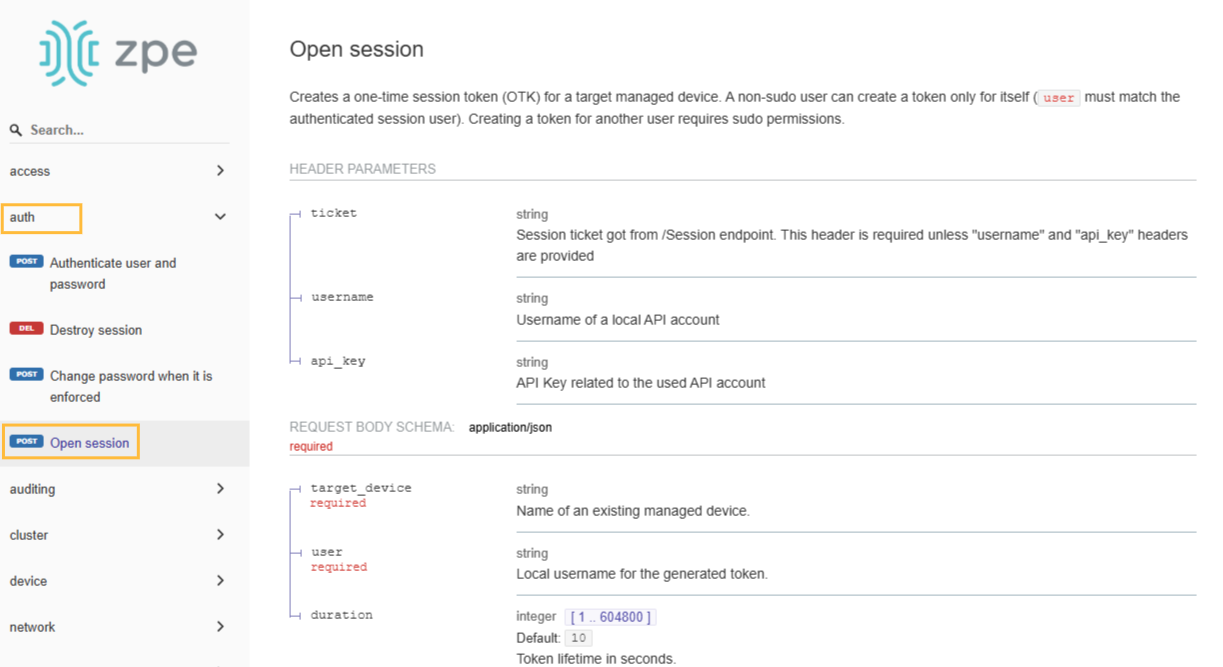
Defining API schema
opensession endpoint
Allows authorized users to create a new console session to a target device.
Upon successful request, the API returns a session token, which acts as a temporary credential for accessing the device.
POST opensession endpoint
Method:
POSTURL:
api/v1/opensessionHeaders required:
Content-Type: application/jsonticket: <valid_user_ticket>(Nodegrid ticket for a sudoer user performing the API request)
Note
The
opensessionPOST action can be used by Nodegrid users to generate tokens for themselves. To generate tokens for other users, the requesting user must have sudo privileges.Sudo capability is determined by group configuration on the following page:
SECURITY::AUTHORIZATION::[Group]::Profile → Profile Settings → Sudo permission
Request body (JSON):
{
  "target_device": "string",
  "user": "string",
  "duration": integer
}target_device: (required) Name of an existing local managed device (i.e., a device configured and owned by the current Nodegrid instance).
user: (required) Username of a local user with permission to access the device (e.g. an access user with restricted privileges).
duration: (optional) default: 10s Session duration in seconds; after this period, the generated token expires automatically.
Revoking OTK
To revoke an OTK (One Time Key) the existing ticket handling endpoints can be used.
opensessions/terminate
Method:
POSTURL:
api/v1/tracking/opensessions/terminateHeaders required:
Content-Type: application/jsonticket: <valid_user_ticket>username: <valid_user_api>api_key: <valid_api_key>
Request body (JSON):
{"sessions": "string"}Response:
Successful HTTP/1.1 200 OK
opensession Example
POST opensession endpoint
Method: POST
URL: /api/v1/opensession
Curl sample request:
curl -sS -X POST \
  https://nodegrid/api/v1/opensession \
  --insecure \
  -H 'Content-Type: application/json' \
  -H 'accept: application/json' \
  -H "ticket: $ticket" \
  -d '{ "user":"user", "target_device": "ttyS1", "duration": "600" }'
Response Success
HTTP/1.1 200 OK
{
  "session_token": "43a3a4b977484fd668e47d5459aed4ef"
}
Web UI
The feature has no UI elements. It is used on auto forward routes to managed devices and use managed device features.
Example:
https://192.168.46.119/direct/device1/console#user=user_ccsg&session_token=836659f8f5bda5c0079203a7bcda5f57
https://<nodegrid address>/direct/<device>/console#user=<user>&session_token=<open session OTK>
Tracking
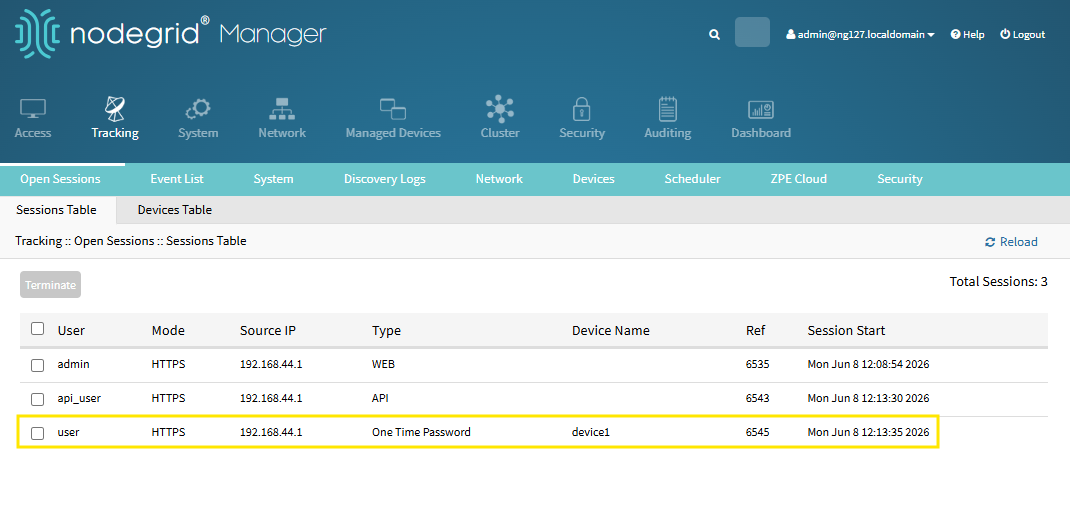
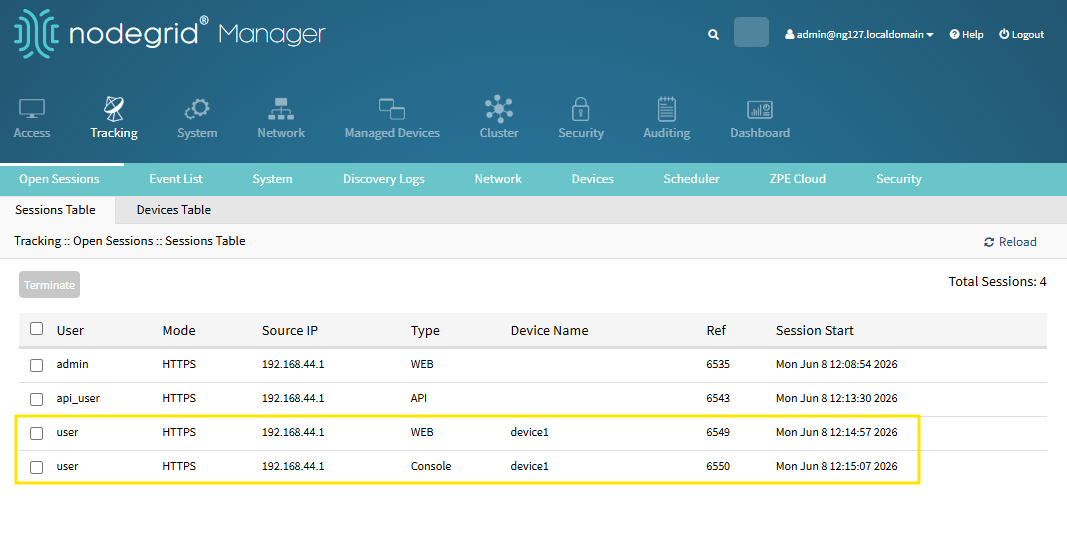
It is possible to track console sessions on managed devices launched through API on TRACKING::OPEN SESSIONS:: SESSIONS TABLE page.
When generating the session, it is displayed as follows:
When the session has initiated, it is displayed as follows:
CLI
The feature has no CLI elements. It is used on auto forward routes to managed devices and use managed device features.
sshpass -p cf9f48f62c6713dbd4ab10ee1e6a62c2 ssh user_ccsg:device1@192.168.46.119
sshpass -p <open session OTK> ssh <user>:<device>@<nodegrid address>